Can You Run League of Legends? Here's the Short Answer
If you're asking "can my PC run League of Legends," the short answer is: probably yes. Riot Games deliberately built LoL to run on low-end hardware, which means the barrier to entry is much lower than most games released in the last decade.
Here's the honest framing: there's a difference between can it run and can it run well. Think of it like a car. The minimum specs get you a beater that'll technically make it to work, but you'll feel every pothole. The recommended specs give you something you actually enjoy driving. Same destination, very different experience.
LoL has two official hardware tiers: minimum (playable, low frame rates, reduced settings) and recommended (smooth, competitive, enjoyable). This article walks you through both, shows you how to check your own PC specs in under two minutes, and tells you what kind of real-world performance to expect at each tier.
No fluff. No marketing speak. Just the information you need to answer whether your machine is up to the job, and what to do if it isn't.
What Is League of Legends? (A Quick Primer for the Uninitiated)
League of Legends is a multiplayer online battle arena (MOBA) developed and published by Riot Games. Released in 2009, it remains one of the most-played PC games on the planet, and it shows no signs of slowing down.
The premise is straightforward: two teams of five players, each controlling a unique champion, compete to destroy the opposing team's Nexus. Simple to learn. Genuinely difficult to master. That combination has kept millions of players coming back for over 15 years.
Marc Merrill, co-founder of Riot Games and President of Games, has overseen the development and continuous optimization of LoL since its inception. In public statements and interviews, Merrill has emphasized that Riot's core design goal was to make a competitive game that anyone with a PC could access, not just players with high-end hardware. That philosophy has directly shaped decisions around rendering, engine optimization, and minimum spec targets throughout the game's lifespan.
A PMC (National Institutes of Health) study of 750 League of Legends players offers a window into how intensely players engage with the game, tracking behavioral patterns and session habits that reflect a player base that shows up consistently and for extended periods.
Understanding why specs matter for LoL specifically comes down to this: the game is built around split-second decisions in fast-moving team fights. Frame rate drops and input lag don't just affect visual quality, they directly affect your ability to execute in the moments that decide matches.
League of Legends Minimum and Recommended System Requirements
According to Riot's official support documentation, the published specs are your baseline. Here's what each component does in plain English before you look at the numbers:
- CPU (processor): The brain of your PC, handles game logic, calculations, and background tasks
- GPU (graphics card): Renders everything you see on screen, champions, spells, terrain
- RAM: Short-term memory your PC uses to juggle active processes while gaming
- Storage: Where the game files live on your drive
Windows System Requirements
| Component | Minimum | Recommended |
|---|---|---|
| OS | Windows 7 (64-bit) | Windows 10 (64-bit) or newer |
| CPU | 2 GHz dual-core | 3 GHz quad-core |
| GPU | NVIDIA GeForce 8800 / AMD Radeon HD 5670 | NVIDIA GeForce GTX 560 / AMD Radeon HD 6950 |
| RAM | 4 GB | 8 GB |
| Storage | 16 GB available | 16 GB available |
| DirectX | Version 9.0c | Version 11 |
| Internet | Broadband connection | Broadband connection |
macOS System Requirements
| Component | Minimum | Recommended |
|---|---|---|
| OS | macOS 10.12 (Sierra) | macOS 10.14 (Mojave) or newer |
| CPU | 2 GHz dual-core Intel | 3 GHz quad-core Intel or Apple Silicon |
| GPU | Nvidia GeForce GT 330M / Intel HD 4000 | AMD Radeon R9 M395 or better |
| RAM | 4 GB | 8 GB |
| Storage | 16 GB available | 16 GB available |
What these tiers mean in practice: Minimum specs will get you 30 fps on low settings, functional, but not ideal for competitive play. Recommended specs push you to 60+ fps on medium-to-high settings, where the game actually feels responsive. High-end builds (RTX 3060 or better, 16GB RAM, fast CPU) can hit 144–240+ fps for players running high-refresh monitors.
LoL's install size sits around 22–25 GB, which is modest compared to modern AAA titles that frequently demand 100+ GB. Budget 30 GB to account for patches and updates.
Mac support exists but is more restricted, Riot has dropped support for older macOS versions over time. Mac users should check Riot's official support page directly to confirm current macOS compatibility, as this changes with patches. Linux is not officially supported.
How to Check If Your PC Meets the Requirements
Checking your PC specs takes about two minutes. Here's the fastest method for Windows users:
Method 1: DxDiag (Most Complete)
- Press Windows key + R to open the Run dialog
- Type dxdiag and press Enter
- On the System tab, find your OS version, CPU, RAM, and DirectX version
- Click the Display tab to find your GPU model
- Compare those numbers against the tables above
Method 2: This PC Properties (Quick CPU + RAM Check)
Right-click This PC on your desktop or in File Explorer, then select Properties. You'll see your processor and installed RAM immediately.
For Mac users: Click the Apple menu > About This Mac for CPU, RAM, and GPU info in one screen.
Third-party tools like CPU-Z or Speccy give you a more detailed hardware breakdown including temperatures and clock speeds. You can also use Can You RUN It, a browser-based tool that auto-detects your hardware and compares it against a game's requirements automatically.
| Method | Best For | Time Required |
|---|---|---|
| DxDiag | Full spec check (Windows) | ~2 minutes |
| This PC > Properties | Quick CPU/RAM only | ~30 seconds |
| About This Mac | Full spec check (Mac) | ~1 minute |
| CPU-Z / Speccy | Detailed hardware info | ~3 minutes |
| Can You RUN It | Automated comparison | ~2 minutes |
Laptop tip: If you're on a laptop, your GPU model matters more than almost anything else. Integrated graphics, like Intel UHD or Intel Iris, will struggle even if your CPU looks fine on paper. Check specifically whether your laptop has a dedicated GPU before assuming you meet the requirements.
What Kind of Performance Should You Actually Expect?
Your performance in League of Legends depends almost entirely on your hardware tier, and the gap between tiers is significant enough to affect how competitive you can actually play.
| Hardware Tier | Example Hardware | Expected FPS | Settings Level |
|---|---|---|---|
| Budget / Minimum | Intel i3, 4GB RAM, integrated GPU | 20–45 fps | Low |
| Mid-range / Recommended | Intel i5 / Ryzen 5, 8GB RAM, GTX 1060 | 60–120 fps | Medium–High |
| High-end | Ryzen 7 / i7, 16GB RAM, RTX 3070+ | 144–240+ fps | Ultra |
FPS matters more in LoL than in slower games. This is a competitive MOBA where you're making split-second decisions during team fights, a sudden frame rate drop from 60 to 25 fps during a five-player skirmish is the difference between landing a skill shot and missing it entirely.
A Worcester Polytechnic Institute research report analyzing League of Legends as a live-service platform examined how patch updates and infrastructure changes affect player experience over time, a useful technical lens for understanding why hardware demands can shift between seasons even when the game's minimum specs remain nominally unchanged.
Settings that most impact performance:
- Shadow Quality, Drop this first if you're struggling
- Character Quality, Affects champion model detail
- Effects Quality, Controls spell and particle effects (big FPS impact)
- Frame Rate Cap, Set to match your monitor's refresh rate, not higher
One thing players overlook: a smooth 60 fps beats a stuttery 80 fps every time. Frame time consistency, how evenly frames are delivered, matters as much as the raw number. Use Ctrl+F in-game to pull up the FPS counter and monitor your performance in real time.
A note on ping: Ping is a secondary but important consideration separate from hardware performance. A 144 fps experience with 150ms ping is still a frustrating experience. If your PC qualifies but your connection doesn't, no hardware upgrade will fix that.
Your PC Doesn't Meet the Requirements, Now What?
You're not stuck. There are three realistic paths forward depending on how far off your current setup is.
Path 1: Optimize What You Have (Free)
Before spending anything, squeeze what you can out of your current hardware:
- Set all in-game graphics to Low or Very Low
- Close every background application before launching the game
- Update your GPU drivers, outdated drivers alone can cost you 10–20 fps
- If you're running on an HDD, switching to an SSD dramatically reduces load times and can stabilize performance
Path 2: Upgrade Specific Components (Mid-Cost)
If RAM is the bottleneck, upgrading from 4GB to 8GB is one of the cheapest performance gains available, often under $30 for a compatible stick. If your GPU is the limiting factor, even a budget dedicated card (used GTX 1650 or RX 580) can transform a machine that barely runs LoL into one that runs it well.
Think of bottlenecking like a highway with a toll booth: your PC moves at the speed of its slowest component. A fast CPU paired with ancient integrated graphics means the GPU is your toll booth, traffic backs up regardless of how fast everything else moves.
Path 3: Get a Purpose-Built Gaming PC
Some machines are simply past the point where incremental upgrades make sense. If you're working with a system where the cost of individual part upgrades approaches the price of a new build, that's your signal to step back and look at the full picture.
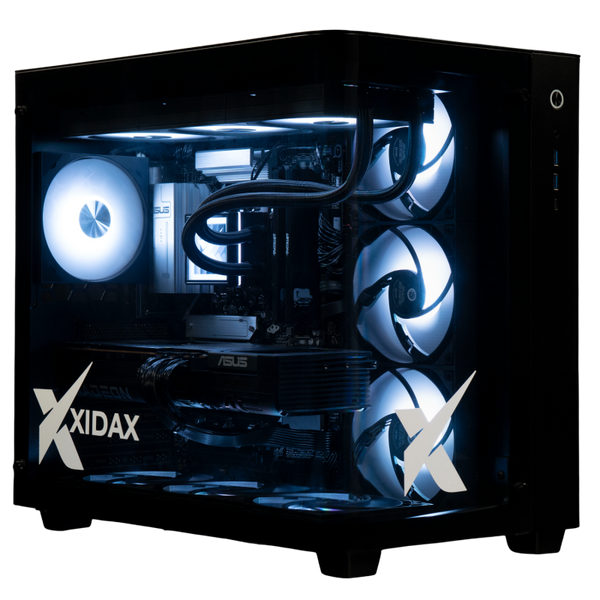
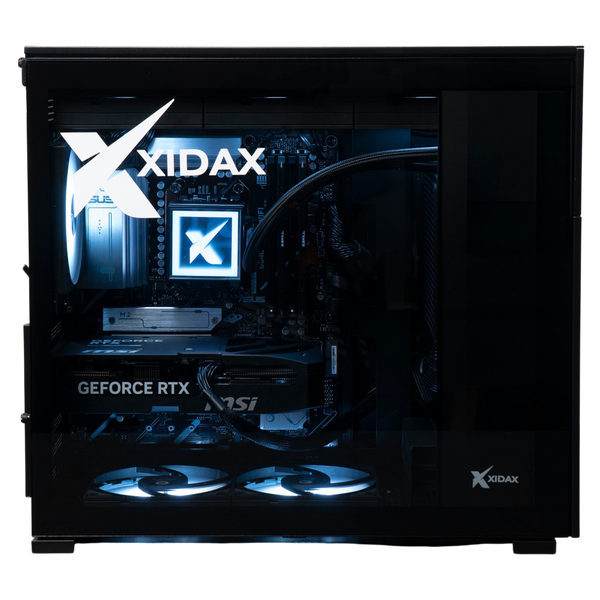
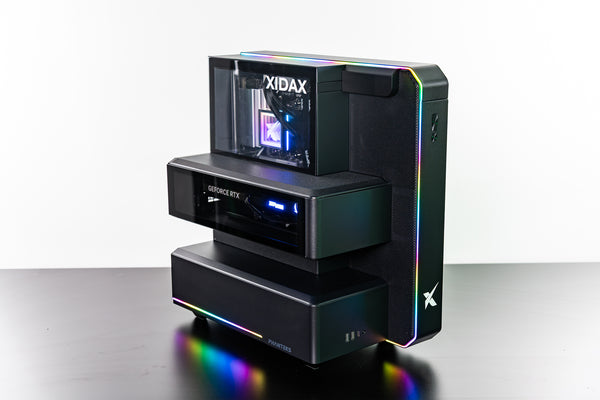
The R5 7600 5070 Black Xen Gaming PC is one option worth considering for players who want smooth, future-proof performance. It's specced to handle League of Legends and well beyond it, and is configured to order rather than mass-produced and warehoused. If you've been asking "can my PC run League of Legends" and the answer keeps coming back no, it's a straightforward solution to evaluate alongside other purpose-built systems in this category.
Common Questions About Running League of Legends on PC
How big is League of Legends? The base install sits around 22–25 GB, but patches accumulate over time. Budget at least 30 GB of free storage to ensure the client can update without issues. Compared to modern AAA titles regularly demanding 100+ GB, LoL is lean.
Can I run LoL on a laptop? Yes, if the laptop meets minimum specs. The single most common failure point on laptops is integrated graphics. Intel UHD and Intel Iris GPUs will struggle, even on machines with decent CPUs and adequate RAM. A laptop with a dedicated GPU (even an entry-level NVIDIA or AMD mobile card) will have a meaningfully better experience. Check your GPU specifically, not just your CPU.
Does LoL run on Steam? No. League of Legends runs exclusively through the Riot Games client, which you download directly from the Riot website. It is not available on Steam, Epic Games Store, or any other third-party launcher.
What about LoL spin-offs, do they have the same requirements? Teamfight Tactics (TFT) runs inside the League of Legends client and uses essentially the same system requirements. Legends of Runeterra has lighter requirements and is also available on mobile. If your PC runs LoL, it runs TFT. Runeterra is even more forgiving on hardware.
Why LoL's Low Barrier to Entry Is by Design, Not Accident
Riot Games didn't build League of Legends to run on budget hardware by accident, it was a strategic decision that shaped how the game grew into what it is today.
In the early 2010s, a massive portion of LoL's global player base was playing on older, lower-spec machines. Players in Southeast Asia, Latin America, and Eastern Europe were often running hardware that would fail any modern game's minimum requirements check. Riot's deliberate choice to optimize for accessibility was, in large part, why the game was able to reach, and hold, those markets.
Marc Merrill, co-founder of Riot Games and President of Games, has consistently overseen development decisions that prioritize broad hardware compatibility. In public commentary on Riot's design philosophy, Merrill has framed accessibility not as a technical concession but as a deliberate competitive strategy, the goal was to remove hardware as a barrier to participation so that skill, not equipment, determined who could play at the highest level.
The Worcester Polytechnic Institute research report on League of Legends infrastructure provides a technical look at how the game's patch cadence and backend systems have evolved, including analysis of how client updates and data delivery have been structured to support a globally distributed player base across varying hardware environments.
Think of it like chess. The game is designed so that anyone can play with a standard board and pieces. The low barrier to entry is intentional, the depth of skill is what separates players, not the quality of their equipment. Riot applied that same logic to PC hardware.
The practical takeaway: if your machine meets even the minimum League of Legends system requirements, you're playing the game as Riot intended it to be played by most of the world. Even as Riot continues updating visuals and adding new champions, hardware accessibility has remained a core design value.
Frequently Asked Questions
Q: What are the minimum system requirements to run League of Legends?
The minimum specs require a 2 GHz dual-core CPU, 4 GB RAM, a GPU equivalent to an NVIDIA GeForce 8800 or AMD Radeon HD 5670, Windows 7 (64-bit) or macOS 10.12+, and at least 16 GB of storage (budget 30 GB). These specs will technically run the game, but expect low frame rates in the 20–45 fps range on the lowest visual settings.
Q: Can I run League of Legends on an old or budget laptop?
Yes, if the laptop has a dedicated GPU and meets the minimum CPU and RAM thresholds. Integrated graphics, Intel UHD, Intel Iris, and similar, are the most common bottleneck on laptops. On integrated-only machines, expect unstable frame rates, dropped frames during team fights, and possible inability to maintain playable performance consistently.
Q: How much FPS will I get in League of Legends?
It depends on your hardware tier. Minimum specs deliver roughly 30–60 fps on low settings. Recommended specs push 60–120 fps on medium to high settings. High-end builds with modern GPUs and 16 GB+ RAM can hit 144–240+ fps. Use Ctrl+F inside the game to pull up a real-time FPS counter and see exactly what your machine is delivering.
Q: Is League of Legends free to play and does it cost anything to run?
League of Legends is completely free to download and play, no subscription, no purchase required. All in-game purchases are purely cosmetic (skins, chromas, emotes) and have zero impact on gameplay performance or competitive fairness.
Key Takeaways
- Most modern PCs can run League of Legends, Riot designed it for broad hardware accessibility, including older and budget machines. If you're still asking "can my PC run League of Legends," run DxDiag and compare against the tables above, the answer is usually yes.
- Check your specs in under two minutes using DxDiag on Windows (Win+R > dxdiag) or About This Mac on macOS, then compare directly against the minimum and recommended tables in this article.
- Minimum specs = playable; recommended specs = competitive, the difference between 30 fps on low and 60–120 fps on medium/high is significant in a reaction-time-dependent game.
- Laptop users should check their GPU specifically, integrated graphics are the single most common reason laptops fail the minimum requirements despite having adequate CPU and RAM.
- If your PC doesn't qualify, you have options, optimize settings and drivers first, upgrade targeted components like RAM or GPU second, or consider a purpose-built gaming PC if incremental upgrades no longer make financial sense.